

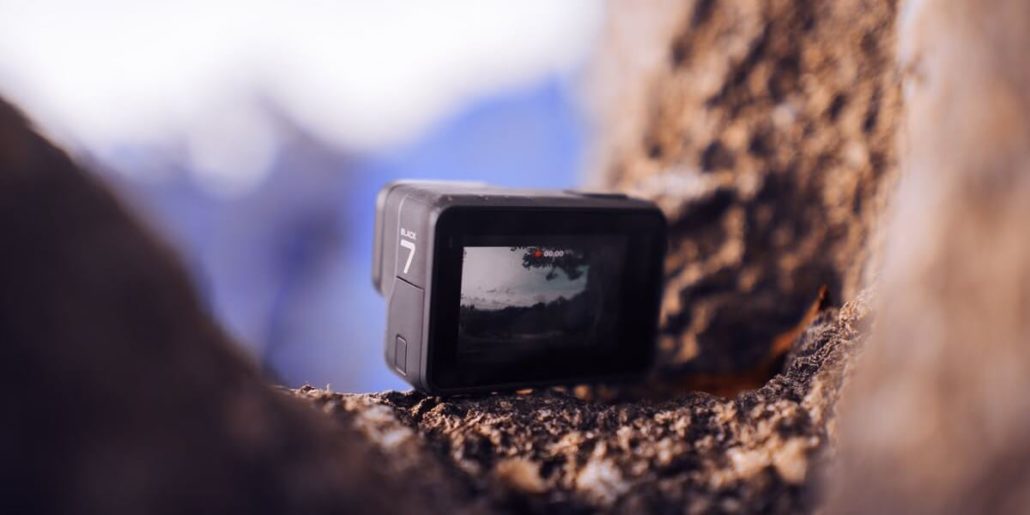
I recently got a GoPro 7 Black edition for my cycling videos. (Check out my YouTube Channel) Check out the last article that I wrote when this amazing device was launched. GoPro launched its masterpiece product this year and stunned the action camera manufacturers. Equipped with new features such as hyper smooth and live streaming. In this article, I will shed light on the hyper smooth features along with modes, resolution, and the frame rate with which it works. This is going to be a comprehensive GoPro 7 review.
Take a look at the best deals on Amazon.com for GoPro’s.
What is hyper smooth in GoPro 7 Black?
This feature was first introduced in Sony Action Cameras. The feature was known as EIS or better known as electronic image stabilization. Smooth videos are what everyone wants and this feature gave them exactly what people wanted. Furthermore, if I were to speak in simple language hyper smooth features in GoPro are nothing but EIS on steroids.
Electronic Image Stabilization On Steroids
EIS was launched in Hero GoPro 5. This GoPro model, when used with Karma grip (Gimbal), had an immense effect on the stabilization. The era of shaky videos was coming to an end. However, now Hyper Smooth changes everything. It boosts the EIS stabilization of the GoPro Hero7 Black beyond that of any motorized gimbal. It works under normal handheld conditions. Furthermore, it is equally as impressive when used by extreme sports enthusiasts while attempting to make videos where it is tough to keep your action camera stable. Now no mechanical gimbal is needed for your ultra-smooth videos.
What Besides the Hyper Smooth Videos?
GoPro 7 not only gives you exceptional results when it comes to stability but also enhance the video output and clarity. Showing that the enhanced stabilization offered by the Hero7 not only smooths out the motion but hugely increases the overall quality and detail of the footage captured.
Previous models with Karma grip & the new GoPro 7 Black
GoPro 5,6 with Gimbal against GoPro 7 Black:
I used the combination of GoPro 5,6 (Owned by my friend) with Karma grip. The results are good, however, you can not;
- Go out cycling riding and then taking care of Gimbal and GoPro
- You can not take the Gimbal (Karma Grip) underwater
- You can not mount the karma grip on your bike, cycle, or car for that matter like GoPro7
- Can’t attach the grip to your pets and take videos
- Gimbal also has the additional weight which you would need to carry if going on a trek in your backpack
Hero GoPro 7 Black
There are tons of things that you can do with your GoPro7. Let’s take a look.
- Attach it to car, bike, cycle and get ultra-smooth videos
- Go swimming with it and still get smooth stable videos
- Use it with any kind of sport where it is tough to keep the camera angle steady
I literally can’t think of anything that you can not do with GoPro 7. Let me know in the comments if you think of something that this bad boy can’t do.
How does Hyper Smooth work in GoPro 7 Black?
Let us understand the concept so that we know how EIS (Electronic Image Stabilization) works. EIS aligns frames to take out the bumps and wobble that come from handholding any action cameras. HyperSmooth feature analyses the content of the footage and then processes the frames matching the content. That’s how you get a super-stable video.
Frame rates and aspect ratios for EIS
I frequently use my GoPro and found that there is always 10% (Approx) cropping when using stabilization. Although I do not find this fact bothering as the results are pretty good. Hyper smooth features also do the same thing. I noticed that when it comes to HyperSmooth, I can only select it when using a 16:9 aspect ratio. This has all been made possible by the updated GP1 processor and the additional GB of RAM which takes the GoPro Hero7 Black to 2GB of internal RAM. If you think normally EIS will steal 10% of the frame, HyperSmooth takes 25% headroom that’s a big leap.
What GoPro 7 Black resolutions and framerates does Hyper Smooth work?
Hyper Smooth works for 16:9 resolutions with the exception of 4K at 60fps. It doesn’t work for any 4:3 aspect ratio footage as obviously this gets rid of the headroom (The crop) required by HyperSmooth. That doesn’t mean that you’re without EIS at 4:3, if you dip into the settings then you’ll find the option to switch on Image Stabilisation.
What if I need to turn off the hyper smooth feature in my GoPro 7 Black?
I will not recommend this. However, in case you decide to turn off this feature for anything specific, there is no on/off switch. When you see the footage you’ll see on or off there’s probably very little difference so why bother. If you are adamant that you need to kill off HyperSmooth then the other option is to switch to 4:3 ratio and you can do that by tapping the icon in the top right of the screen. As there is no headroom, HyperSmooth can’t work so it will in effect be switched off. You’ll also have a little more headroom for composing when it comes to editing.
Summing Up about GoPro 7 Black
No doubt GoPro 7 Black is the best action camera available in the market. I use it for making videos for my YouTube channel. Check out the comparison video of GoPro session 5 and GoPro Hero 7 Black.
Let me know in the comments below if you have any questions related to the hyper smooth feature of GoPro in this GoPro 7 review. I will try to answer them as soon as possible. Check out the next best thing Hero GoPro 8. I hope that you liked this GoPro 7 review, drop comments in case of a query.
Read more photography articles by clicking this link. For more GoPro tips and tricks click here.