


I use WordPress as a content management platform for my blog site. I use it because it’s easy to set up and manage. If you use WordPress like me, you would know that while creating posts you can add tags.
I was confused earlier about these tags. I thought of these tags as additional keywords and used them to input all the keywords there. However, these tags in WordPress are for a specific reason. Let us try to understand the entire anatomy behind the tags in WordPress articles.
Think of tags as a topic of discussion in a WordPress website. Categories are different and if you do not select the category a default category gets selected automatically. Unlike categories, tags have to be added to each article or post. In other words, a single category can have a broad range of topics covered.
I would say they are like keywords for different discussion topics. In WordPress nomenclature, both categories and tags are known as taxonomies.
Tags are optional however, you must stick to a limited of these entities and do not over-optimize. Some people think of them as keywords for a post. However, they are just keywords for the topic on which the article is written.
These are generally at the end of each article on your WordPress website. The way of the display depends on the theme type as well. For e.g. in my WordPress website, they come in the end. Check out the screenshot from my last article about low-quality EMD.
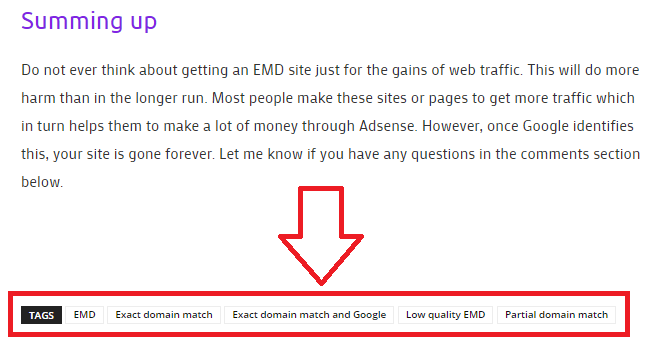
When you add tags in a WordPress post, WordPress creates separates pages for each of the tags. Once you click the discussion topic you are taken to a page where all the articles are listed as per discussion topics or tags. This way the content on the website is more organized.
The webmaster and the visitors both are benefited from this concept. In other words, the content is more structured and organized. You can display these in the form of a widget in your sidebar if you want.
This way visitors coming to your website can straightway get to the discussion topic instead of rattling around the entire website. Google pays special attention to tag pages and it would be wise to say that these generate a lot of traffic.
Let us dig down a little deeper and let us talk about the difference between categories and tags.
- Categories are meant for a broad categorization of your website content. Wherein tags are for displaying specific details about your posts. We can also call these website index words.
- Categories are hierarchical however, tags are not.
- Categories macro manage your content, wherein tags micro-manage your content.
- You need to pick a category for your post, however, adding tags are optional.
- The last difference is in the URL structure of category and tags. For categories, URL is something like yoursite.com/category/categoryname/ and for tags it’s http://yoursite.com/tag/tagword/
Frankly “NO”. WordPress does not have a capping on the number of tags you can use in a post. You can use 100+ tags, however, they have to make sense if you are adding them to the article.
Let me give you an example. I write about WordPress, SEO, Travel, Photography, and other things in my life. These are basically the categories on my WordPress website.
However, while composing this article the category is SEO however the tags that I used were “tags in WordPress”, “tags in WordPress post”, “WordPress tags in a post” etc.
This means that my tags tell you about the topic of the article wherein the category tells you about specific classification saying that the article is related to SEO.
I keep my tags under 10 from the time I learned about tags and their relevance in modern SEO.
Both are equally important and have different purposes as explained in the article earlier. They work in tandem with each other and both have SEO relevance. We established the fact that Google bots do read URLs to identify the content type in my earlier article.
So while reading the category permalink and a tag permalink, both ways you will generate traffic if you optimize your URL as per Google guidelines.
Firstly you need to get into a tag mindset. I was searching for a motorcycle the other day. I love cruisers as I usually go for long-distance biking. While searching specifications on a website for motorcycles, I found a category names cruisers. However, I was looking for something more specific in cruiser motorcycles.
That was a bike with front disc breaks. The website owner was intelligent enough to add a tag name “Disc Brakes”. Bingo, the moment I was on this tag page, got a list of all the motorcycles with a disc brake. Always remember you are making the content for the users and not for search engines.
So think like a user, try to gauge visitor’s problems, and structure your website in a way that in 3 clicks he gets what he is looking for.
Summing Up
The goal of every search engine is to think like a user would think while searching for something. The same way we as webmasters need to think while keeping ourselves in visitor’s shoes.
If we can do that SEO would be so simple. I hope this article would have cleared all the doubts related to tags and it’s a comparison with categories. In case you have a question please leave them in the comments below. I would love to discuss this further.